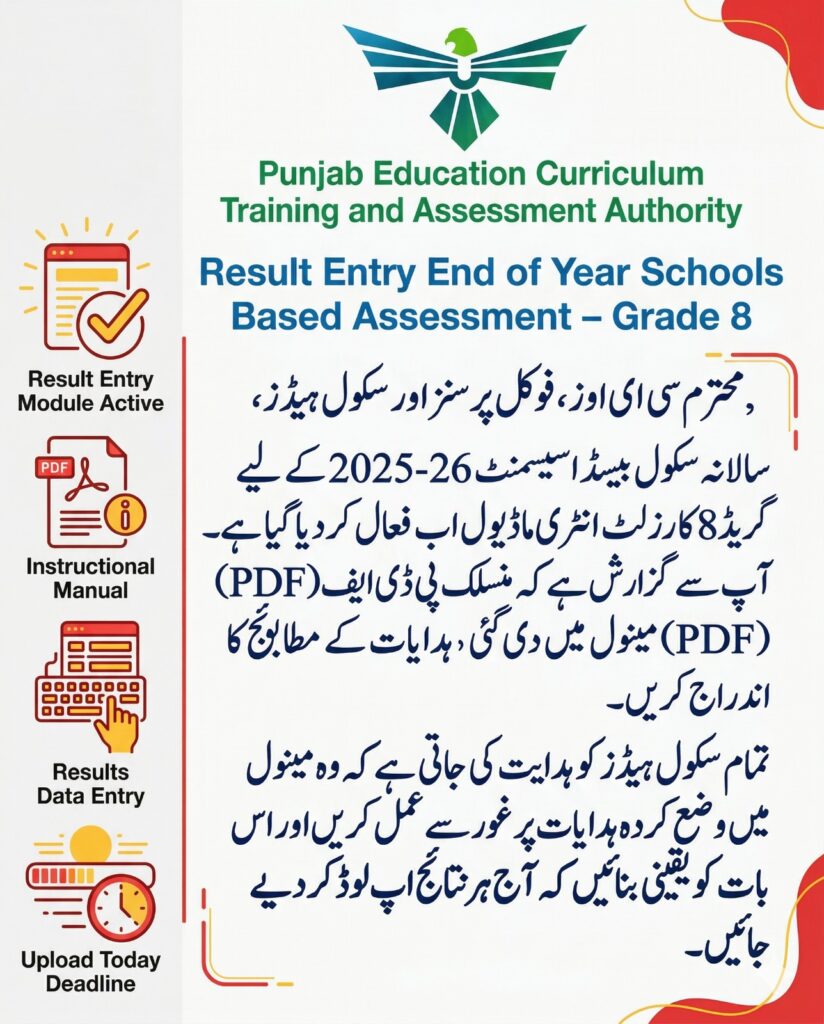
PECTAA result is being announced. From tomorrow, make sure to properly enter the results of those 4 subjects in SIS.
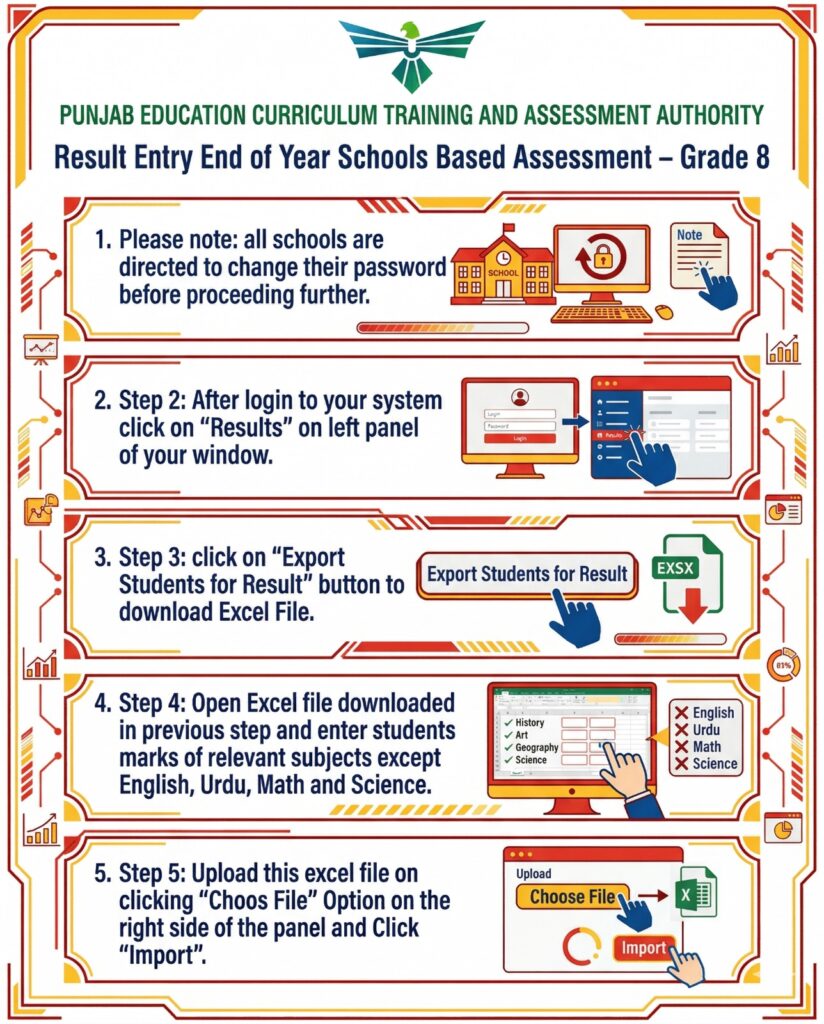
PUNJAB EDUCATION CURRICULUM TRAINING AND ASSESSMENT AUTHORITY
Result Entry End of Year Schools Based Assessment – Grade 8
- Please note: all schools are directed to change their password before proceeding further.
田田 SCHOOL
田田
Note
- Step 2: After login to your system click on “Results” on left panel of your window.
- Step 3: click on “Export Students for Result” button to download Excel File.
Export Students for Result
EXSX
60
- Step 4: Open Excel file downloaded in previous step and enter students marks of relevant subjects except English, Urdu, Math and Science.
- Step 5: Upload this excel file on clicking “Choos File” Option on the right side of the panel and Click “Import”.
History
Art Geography
Science
X English
X Urdu
X Math
X Science
87%
E
Upload
Choose File
Import
Most Urgent
Top priority
To: Heads of all Government and Private Schools
Subject: Regarding Submission of Class VIII SBA Results on PECTAA Portal (PECTAA 2026)
Dear Sir/Madam,
You are requested to follow the instructions given below to submit your Class VIII SBA results on PECTAA Portal:
Step 1: Login Details
Visit the website:
https://clustersmanagement.pectaaexams.com
Username format: school-EMISCODE (Example: school-12345678)
Default password: 123456
Change your password immediately after login.
Step 2: Access to Results Section
After login, click on “Results” on the left side of the dashboard.
Step 3: Download student data
Click on “Export Students for Result” button.
Download the Excel file containing the student information.
Step 4: Enter the student numbers
Open the downloaded Excel file.
Enter the relevant subject numbers.
Do not enter the English, Urdu, Math and Science numbers (these will be added separately).
Step 5: Upload the completed file
Go to the “Import Results (Excel)” section on the right.
Select the completed Excel file by clicking on “Choose File”.
Upload the file by clicking on “Import”.
Important Instructions:
Check all the data thoroughly before uploading.
Double-check the subject numbers to avoid any errors.
Please complete this process today.
Thank you for your timely and accurate cooperation.
پنجاب ایجوکیشن کریکولم ٹریننگ اینڈ اسیسمنٹ اتھارٹی
رزلٹ انٹری سال کے اختتام پر اسکولوں کی بنیاد پر تشخیص – گریڈ 8
- براہ کرم نوٹ کریں: تمام اسکولوں کو ہدایت کی جاتی ہے کہ وہ آگے بڑھنے سے پہلے اپنا پاس ورڈ تبدیل کریں۔
田田 اسکول
田田
نوٹ
- مرحلہ 2: اپنے سسٹم میں لاگ ان ہونے کے بعد اپنی ونڈو کے بائیں پینل پر “نتائج” پر کلک کریں۔
- مرحلہ 3: Excel فائل ڈاؤن لوڈ کرنے کے لیے “Export Students for Result” بٹن پر کلک کریں۔
نتائج کے لیے طلبا کو برآمد کریں۔
EXSX
60
- مرحلہ 4: پچھلے مرحلے میں ڈاؤن لوڈ کی گئی ایکسل فائل کو کھولیں اور انگریزی، اردو، ریاضی اور سائنس کے علاوہ طلباء کے متعلقہ مضامین کے نمبر درج کریں۔
- مرحلہ 5: اس ایکسل فائل کو پینل کے دائیں جانب “چوز فائل” آپشن پر کلک کرنے پر اپ لوڈ کریں اور “درآمد” پر کلک کریں۔
تاریخ
آرٹ جغرافیہ
سائنس
ایکس انگریزی
ایکس اردو
ایکس ریاضی
ایکس سائنس
87%
ای
اپ لوڈ کریں۔
فائل کا انتخاب کریں۔
درآمد کریں۔